 HefferApps
 ← Game Shelf: Rate Video Games

Have you ever bought a game in a sale, then found it already sitting in your library? Or started a sequel and realised you can’t remember whether you liked the first one? Most of us play more games than we can keep in our heads, on more platforms than ever: a Switch by the TV, a PS5 or an Xbox, and a Steam library full of things we bought cheap and never installed.
A video game tracker fixes that. It’s one list of every game you play, with what you thought of it, what you’re playing now and what’s next. I make one, Game Shelf, for iPhone and iPad. Here are the five reasons I think every player should keep one, whether you finish everything you start or just want a simple list.
What is a video game tracker?
A video game tracker is an app for keeping a record of the games you play. You add each game to your shelf, mark where you are with it (playing, finished, 100% or dropped), give it a rating and, if you like, write a short review. Think of it as Letterboxd or Goodreads for video games: a gaming diary, a backlog list and a wishlist in one place, with friends who can see what you’re playing.
1. Get on top of your backlog
Everyone has a backlog. The trouble is that it’s scattered: some of it on Steam, some on a console, some on a shelf of game cases and the rest in your head. A game backlog tracker puts all of it in one list, so you can see how big it really is and decide what to do about it.
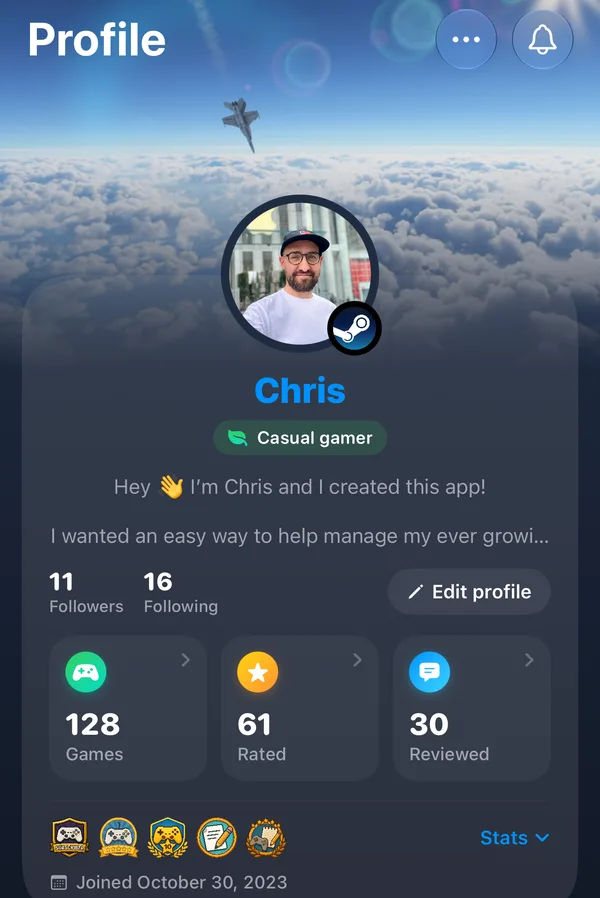
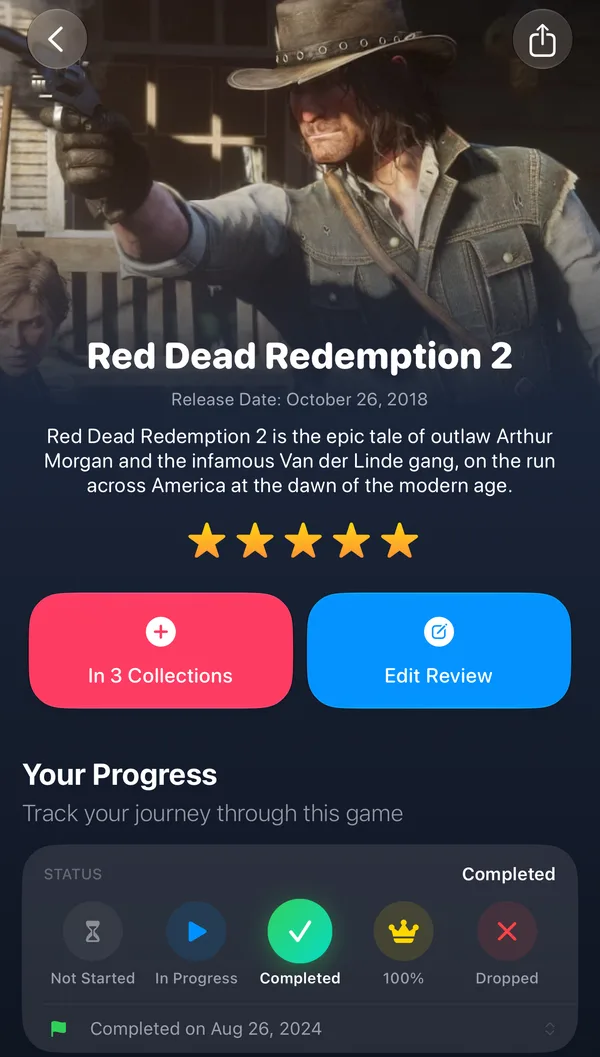
In Game Shelf, every game has a status, Not Started, In Progress, Completed, 100% or Dropped, along with the dates you started and finished it. What you’re playing sits in Currently Playing on your profile, games you want go on your wishlist, and anything else can go in collections you make yourself. Mine include Up Next, Maybe One Day and All Time Greats. A completion bar shows how much of your library you’ve actually finished. Mine says 23%, which is humbling.
When you can’t decide what to play, Play Next picks three games from your backlog, with roughly how long each takes to beat, and shuffles again if none of them grab you. And for upcoming games, release reminders mean you won’t miss the day they come out. For more, see how to organise your game backlog.
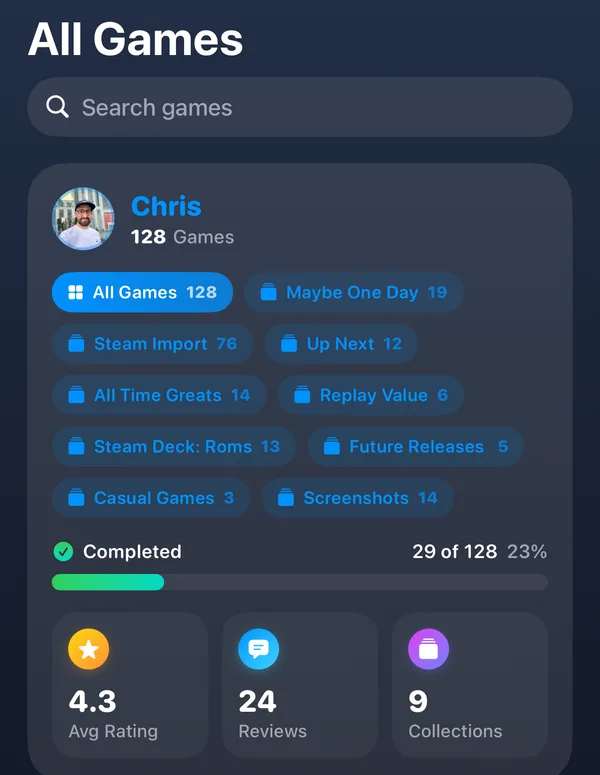
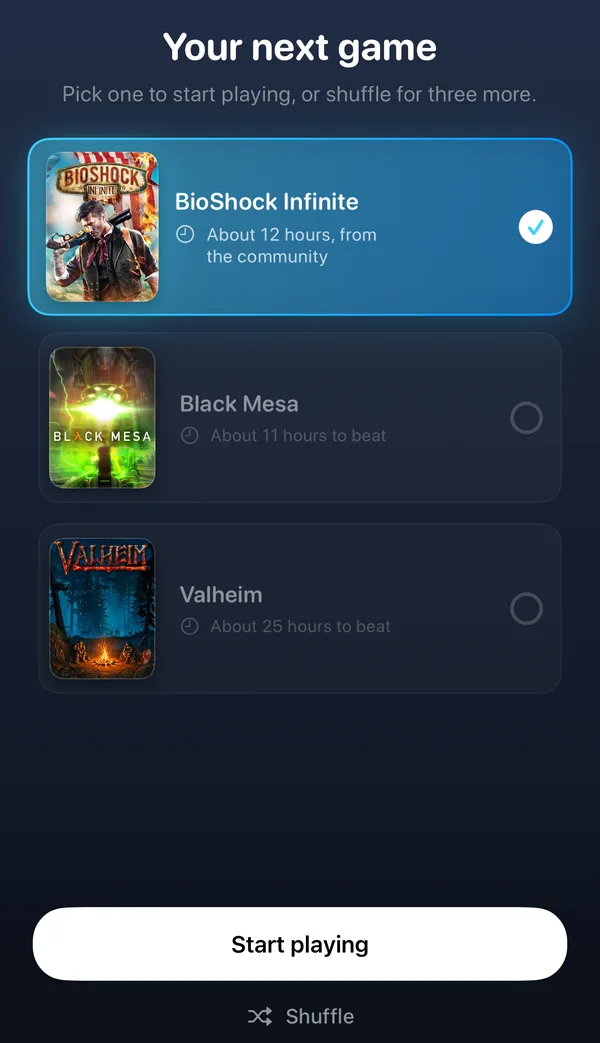
Every game and collection in one place, and Play Next for when you can’t choose.
2. Remember what you played, and what you thought of it
Memory is a terrible game critic. A year on, the game that kept you up until 2am has become “yeah, that was good”, and the one you gave up on after six hours is a blur. Rating each game as you finish it gives you a record you can trust.
Ratings in Game Shelf are out of five stars, and each comes with a word: Not for me, It was OK, Good fun, Loved it or Masterpiece. It takes a couple of seconds, and over time your ratings become a gaming diary: what you played, when you played it and how you felt about it. Pro adds private notes on each game, for the things only you need, such as where you left off or which ending you got.
3. Write reviews that help you, and everyone else, decide
A star rating says how much you liked a game. A review says why, and that’s the part that’s useful later, to you and to anyone wondering whether to buy it. It doesn’t have to be long: “Brilliant story, but the last act drags” is a review.
In Game Shelf, every rating and review can become a share card, ready for Instagram Stories or wherever you post. Here’s how to share your game ratings. Each game’s page also shows how other players rated it, and you can narrow that to the people you follow, which is a far better guide than an average score from strangers.
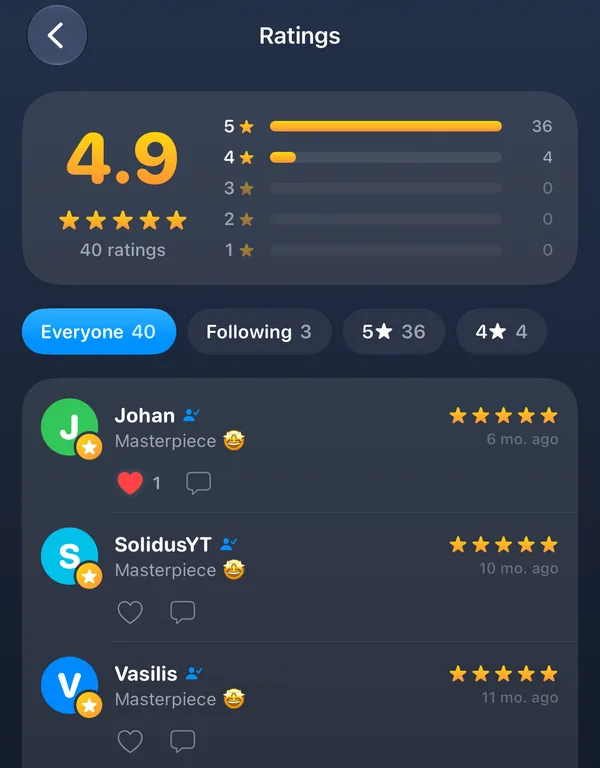
4. Find your next game through friends, not an algorithm
The best game recommendations I’ve had came from friends, not storefronts. The trouble is that they get lost in group chats. When your friends track their games too, their recommendations come to you.
Follow friends in Game Shelf and your Activity feed shows what they’ve started, finished, rated, reviewed and added to their wishlists. Like and comment on their takes, reply to comments and @mention a friend who needs to see one. On Discover, What Friends Are Playing and Recent Friend Ratings sit alongside trending games, new releases and community rankings of what’s most played right now. Following people is free, and so is everything else social in the app.
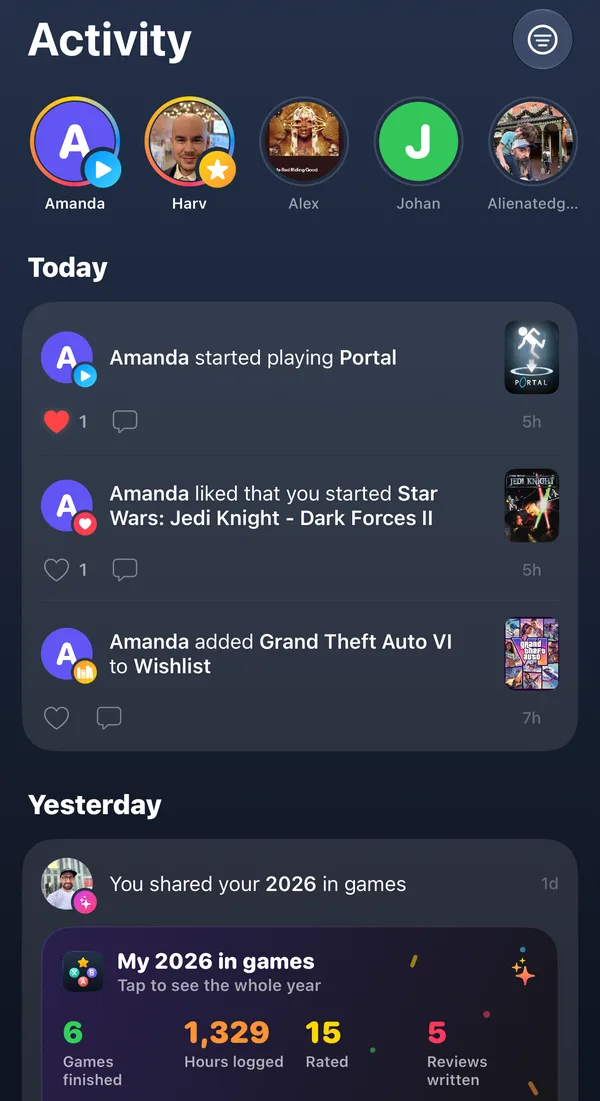
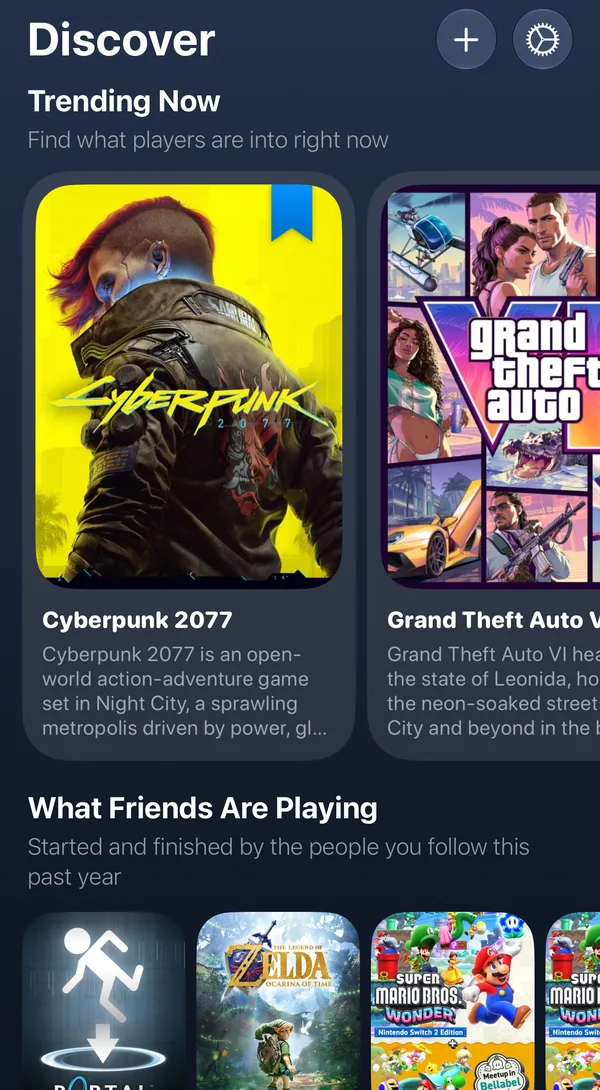
Activity from the people you follow, and Discover’s trending games and what friends are playing.
5. See your year in games
Track your games for a while and you get something no single platform can show you: the whole picture. Which genres you really play, which games your hours went into, and how many games you actually finished this year.
Year in Review plays back your year game by game, like Spotify Wrapped for gaming, and ends with a card to share. Pro Stats shows your hours logged, game by game, and the genres you play most. My card for 2026 says seven games finished, 15 rated and five reviews written.
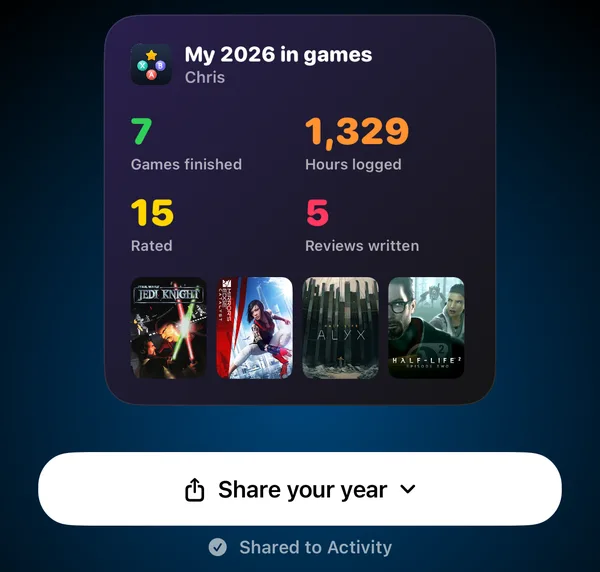
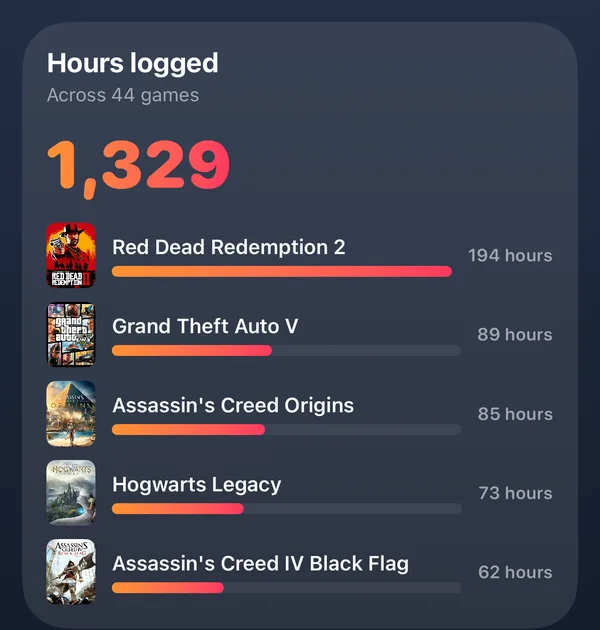
My 2026 in games, ready to share, and the hours logged in Pro Stats.
Getting your games in takes minutes, not evenings
What puts most people off tracking their games is the setup. Nobody wants to type in 200 titles, and you don’t have to.
- Import your Steam library and every game you own on Steam lands on your shelf in one go.
- Scan your shelf. Point your camera at the front or spine of your game cases and the app reads the titles, which is ideal for a physical Switch, PlayStation or Xbox collection.
- Search or browse by platform, from PS5, Xbox Series X|S and Switch 2 to PC, iOS and Android, or by genre.
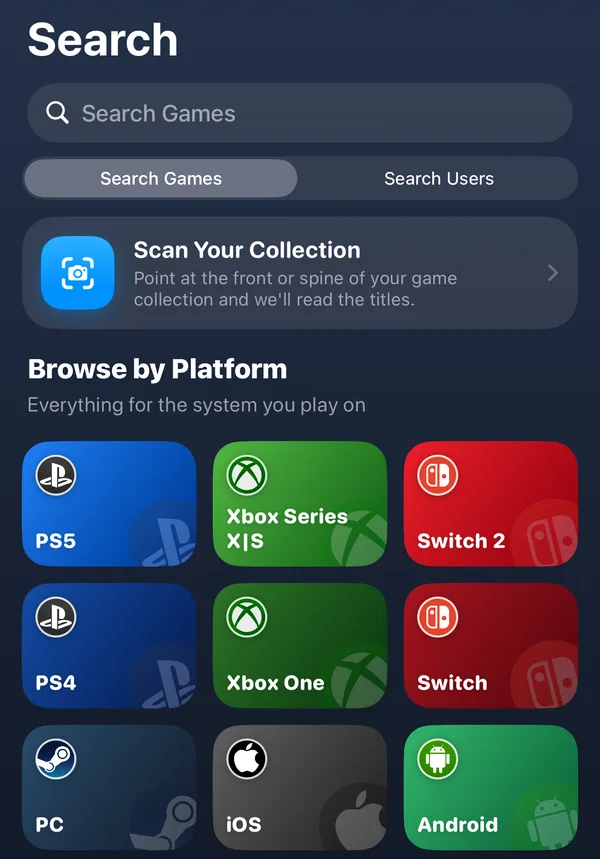
Start tracking your games in five minutes
- Add the games you’re playing right now to Currently Playing.
- Import your Steam library, or scan the cases on your shelf.
- Rate the last five games you finished. It takes about a minute.
- Put what you haven’t played yet in your backlog, and what you want on your wishlist.
- Find a few friends with Search Users and follow them.
- Next time you finish a game, rate it and write one line about why.
Common questions
Is there a Letterboxd for video games?
Game Shelf works the same way for games: rate and review what you play, keep a diary of it and follow friends to see their ratings. It isn’t connected to Letterboxd.
What’s the best way to track a game backlog?
Keep everything in one list, whatever platform it’s on, and give every game a status, so your backlog is simply the games you haven’t started. Then pick from it on purpose before buying something new. Game Shelf’s statuses, collections and Play Next are built for exactly that.
Can I import my Steam library?
Yes. Connect Steam and Game Shelf adds every game you own in one go. For physical games, scan the cases with your camera.
Does it work for Switch, PlayStation and Xbox games?
Yes. Game Shelf covers games on every platform, from retro consoles to PS5, Xbox Series X|S and Switch 2, as well as PC and mobile. The app is for iPhone and iPad, but the games on your shelf can be from anywhere.
Is Game Shelf free?
Yes. Game Shelf is free to download, and rating, reviewing, tracking your backlog and wishlist, two collections of your own and everything social are free. Game Shelf Pro adds unlimited collections and scans, the full Year in Review, Pro Stats, Play Next, private notes and collections, Home Screen widgets, app icons and more, and the yearly plan starts with a free week.
Your games, your taste, one shelf
Tracking your games isn’t homework. It’s a few seconds when you start a game and a few more when you finish it. In return you get a backlog you can actually see, a record of everything you’ve played and a feed of recommendations from people whose taste you trust. Give it a month and you’ll wonder how you kept track without it.