 HefferApps
 ← Game Shelf: Rate Video Games

Letterboxd made logging films a habit. You watch something, log it, give it a few stars, maybe write a line about it, and your friends see it in their feed. Over time it becomes a diary of everything you’ve watched and what you thought of it.
Plenty of players want the same thing for video games. I make Game Shelf, a game tracker for iPhone and iPad built on that idea. Here’s what carries over from Letterboxd, what games need that films don’t, and how to set up your own.
What makes Letterboxd work
Strip Letterboxd back and it’s a simple loop:
- Log what you watch, and when.
- Rate it out of five stars.
- Review it, in a line or an essay.
- Keep a watchlist of what you want to see next.
- Make lists: favourites, rankings, anything you like.
- Follow friends, so their ratings and reviews come to you.
Each step takes seconds, and the more you log, the more useful it gets. A game tracker should feel the same.
Why games need more than a film diary
Copy Letterboxd too closely, though, and it doesn’t quite fit games. A film is two hours on one evening. A game can take weeks, and you might never finish it.
- A game has progress, not just a date. You start it, play it for a month, finish it, maybe go back for 100%, or drop it halfway. A game diary needs a status and dates for each step, not just the day you watched it.
- Dropping a game is normal. Most players have plenty of games they never finished. Marking one as dropped should be as easy as marking one finished.
- The backlog is bigger. Sales and subscriptions mean most of us own far more games than we’ll ever play, so the watchlist needs to be a proper backlog, with some help choosing what’s next.
- How long it takes matters. A film’s running time is on the poster. Whether a game takes 8 hours or 80 decides whether you start it this week.
- Your games are everywhere. A Steam library, a console or two and a shelf of game cases. Getting them into one list shouldn’t take an evening of typing.
Letterboxd’s features, and Game Shelf’s
Here’s how each part of Letterboxd maps onto Game Shelf:
| Letterboxd | Game Shelf |
|---|---|
| Diary | A status for every game (Not Started, In Progress, Completed, 100% or Dropped), with the dates you started and finished |
| Star ratings | Five stars, each with a word, from Not for me to Masterpiece |
| Reviews | Reviews that friends can like and comment on |
| Watchlist | Your wishlist and backlog, with Play Next to pick from it |
| Lists | Collections you make yourself, such as Up Next or All Time Greats |
| Following friends | An Activity feed of what friends start, finish, rate and review |
| Running times | Playtime: how long other players took, from the main story to 100% |
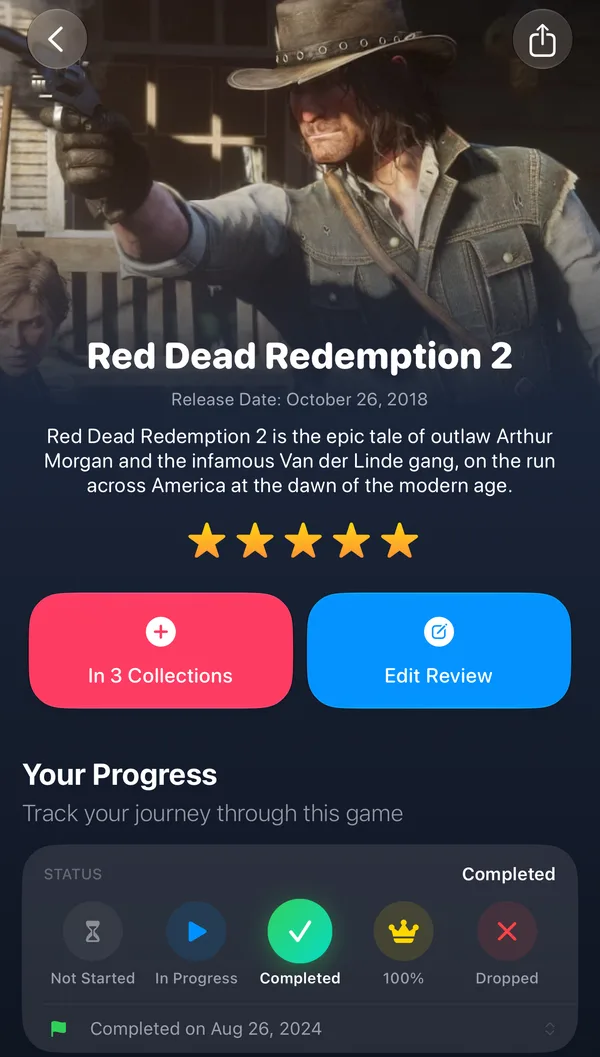
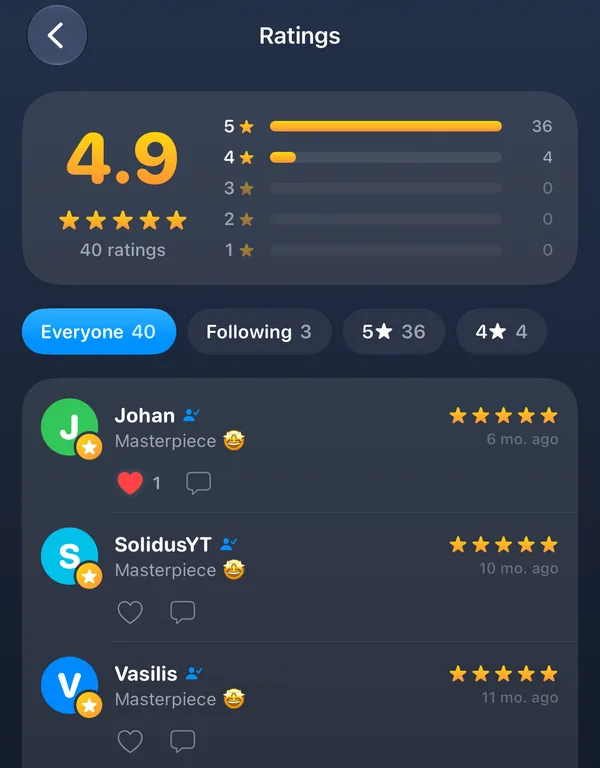
Rating a game and setting its progress, and how everyone else rated it.
How to set up your own Letterboxd for games
- Get your games in. Import your Steam library in one go (your first import is free), scan a shelf of game cases with your camera, or search for anything else. Don’t try to add everything you’ve ever played on day one: start with this year’s games and your favourites.
- Set a status for each one. Mark what you’re playing now, what you’ve finished and what you’ve dropped. Add the dates you started and finished if you remember them, and leave them out if you don’t.
- Rate what you’ve finished. It takes a couple of seconds a game, and your ratings build into a gaming diary you can look back on.
- Write a line about the ones that matter. “Brilliant story, but the last act drags” is plenty. It’s the part you’ll be glad of in a year’s time.
- Follow a few people. Search for friends, or follow players whose ratings you like. What they start, finish and rate turns up in your Activity feed.
- Make a couple of collections. Up Next for what you’ll play soon, All Time Greats for your favourites. There’s more in how to organise your game backlog.
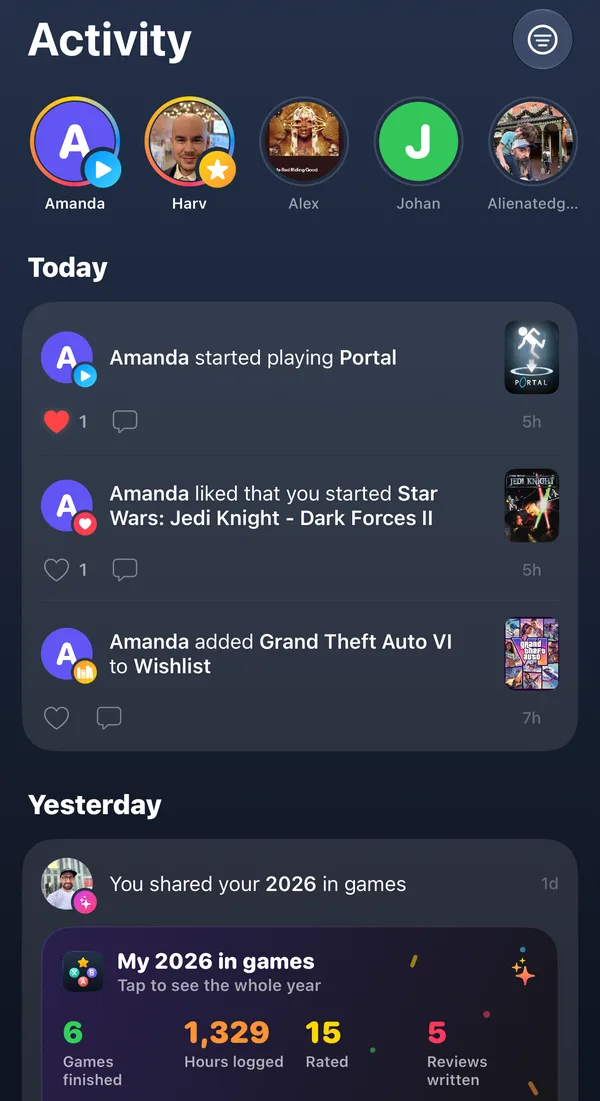
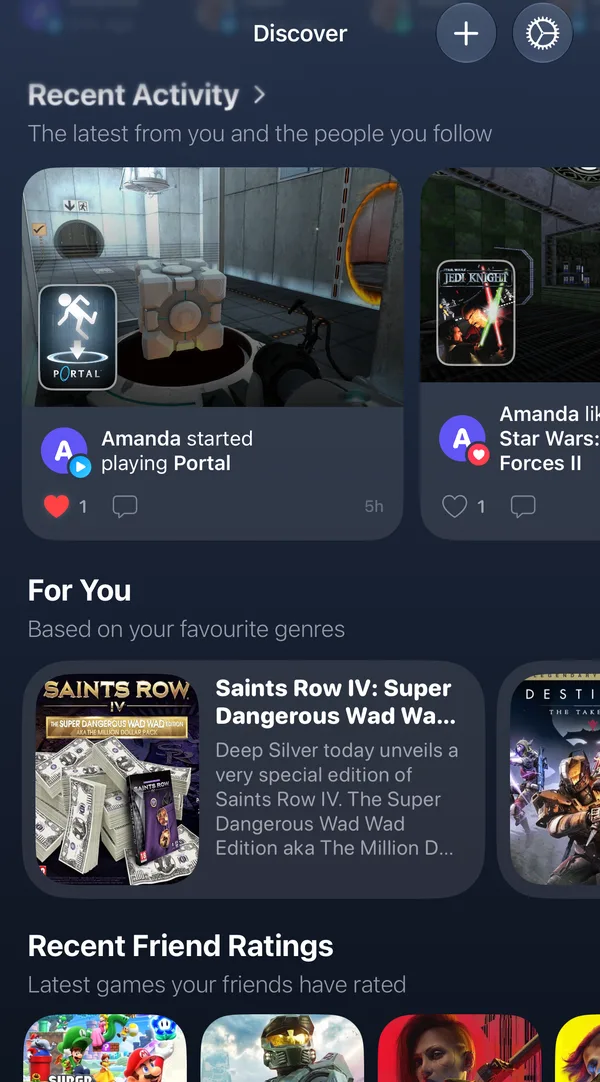
Your Activity feed, and the latest from the people you follow on Discover.
The parts a film app doesn’t need
A few things in Game Shelf are there because games aren’t films.
- Playtime. Game pages show how long other players took to finish: the main story, the main story plus extras, and 100%. When you finish a game, log your own time to help the next person decide.
- Play Next. Say how much time you have, and it picks three games from your backlog that fit, with roughly how long each takes to beat.
- Dropped and 100%. Two statuses a film never needs: one for the games you gave up on, and one for the games you finished completely.
- Release-day reminders. Put a game that isn’t out yet on your shelf, and you’ll be reminded on the day it comes out.
- Private notes. Where you left off, which ending you got or the code for that safe, kept to yourself.
Your year in games
At the end of the year, Year in Review plays your year back game by game: what you played, what you finished and what you loved most, with a card to share at the end. It’s the moment all that logging pays off.
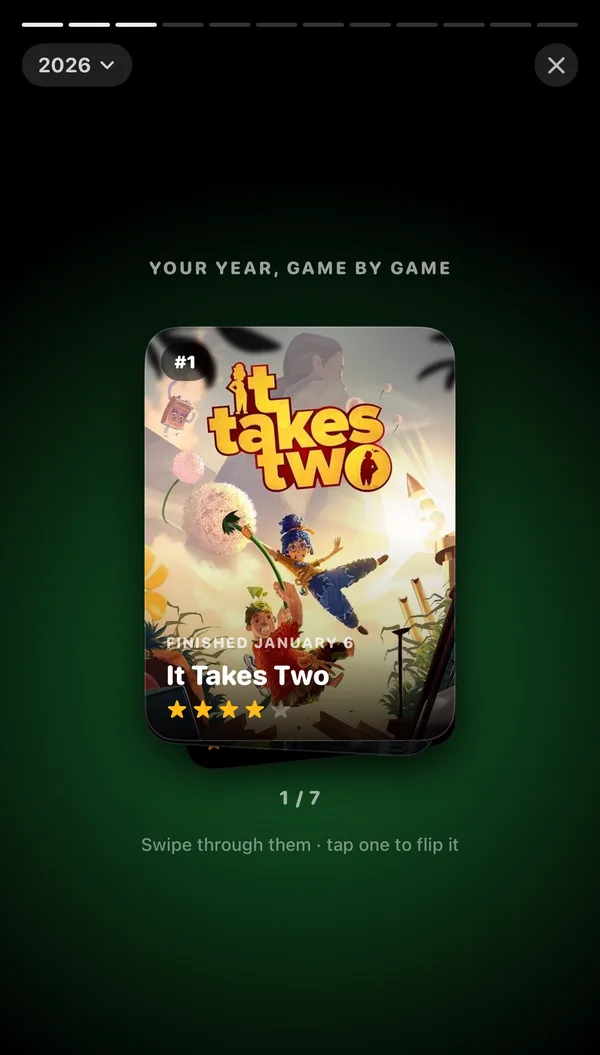
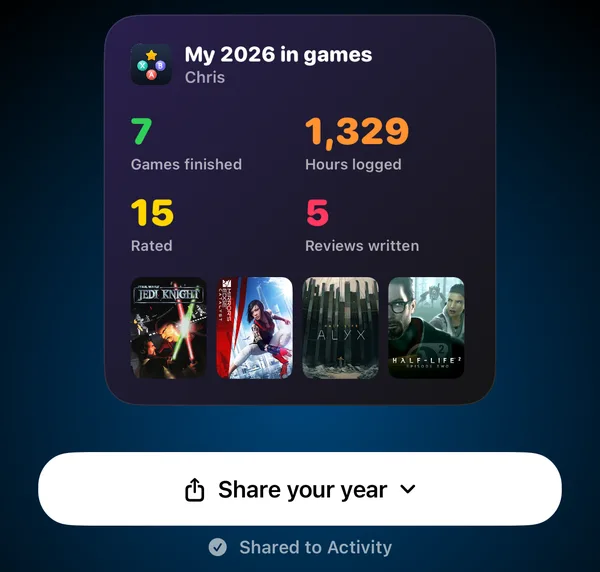
Year in Review, game by game, and the card at the end.
Every rating and review can become a share card too, for Instagram Stories or wherever you post. Here’s how to share your game ratings.
Game Shelf is free. Rating, reviewing, collections and everything social are free, and so are your first Steam import and backing up your shelf. Pro adds the full Year in Review, Pro Stats, Play Next, private notes, private and unlimited collections, and exporting your library.
Common questions
Is there a Letterboxd for video games?
There are a few game trackers built on the same idea. Game Shelf is mine: log, rate and review the games you play, keep a backlog and follow friends, on iPhone and iPad.
Is Game Shelf connected to Letterboxd?
No. Letterboxd is for films, and Game Shelf isn’t connected to it. It borrows the idea for games.
Can I log games I finished years ago?
Yes. Set the game to Completed and add the date you finished it, if you remember. If you don’t, leave the date out and just rate it.
Can I export my games?
Yes, with Pro. Your library comes out as a spreadsheet, with a row for every game: its status, rating, review, the dates you started and finished, your hours and your notes.
Is Game Shelf on Android?
Game Shelf is on iPhone and iPad.
Start with the game you’re playing now
The easiest way to start a game diary is the game you’re playing right now. Add it, set it to In Progress, and rate it when you finish. Do the same with the next one, and in a few months you’ll have the Letterboxd for games you were looking for. Game Shelf is free on the App Store.