 HefferApps
 ← Drone Map
The UK’s drone rules changed on 1 January 2026. The biggest change is that you now need a Flyer ID for any drone of 100 g or more, not just from 250 g, so plenty of people flying small camera drones need one for the first time. New drones also carry UK class marks, and some must broadcast Remote ID.
This guide sums up what the Civil Aviation Authority’s rules mean if you fly for fun: which IDs you need, what the class marks and Remote ID are about, and where you can and can’t fly. It’s a plain-English summary, not legal advice. The full rules are in the CAA’s Drone and Model Aircraft Code, which is also what the Flyer ID test is based on.
What changed on 1 January 2026
- Flyer ID from 100 g. You need to pass the CAA’s free online test to fly any drone or model aircraft of 100 g or more. Before 2026, it started at 250 g.
- Operator ID from 100 g with a camera. You need one for anything of 250 g or more, and for anything from 100 g that has a camera.
- UK class marks. New models put on the market from 1 January 2026 must carry a class mark, from UK0 to UK6. It tells you how close to people you can fly the drone.
- Remote ID. UK1, UK2 and UK3 drones must have your Remote ID entered and switched on. More drones follow on 1 January 2028.
If your drone was bought before 2026, it won’t have a UK class mark, and that’s fine: you fly it by its weight, as below.
Do I need a Flyer ID or an Operator ID?
They’re two different things, and many pilots need both.
- A Flyer ID shows you’ve passed the theory test. It belongs to the person flying.
- An Operator ID belongs to the person responsible for the drone, usually the owner. It’s the one you label on the drone.
| Your drone | Flyer ID | Operator ID |
|---|---|---|
| Under 100 g | Not needed (recommended) | Optional |
| 100 g to under 250 g, no camera | Required | Optional |
| 100 g to under 250 g, with a camera | Required | Required |
| 250 g to under 25 kg | Required | Required |
That means most popular sub-250 g camera drones now need both IDs. Even under 100 g, the rules in the Drone Code still apply when you fly.
Getting your IDs
- Flyer ID: free, through the CAA’s online theory test. It’s 40 multiple-choice questions and you need 30 to pass. It lasts five years. There’s no minimum age, but children under 13 take the test with a parent or guardian.
- Operator ID: £12.34 a year, and you must be 18 or over. If you’re younger, a parent or guardian registers. One Operator ID covers all your drones.
- Labelling: put your Operator ID (not your Flyer ID) on every drone, in block capitals taller than 3 mm, on the main body, either visible from outside or in a compartment you can open without tools.
Both are done on the CAA’s drone registration service.
Class marks: UK0 to UK6, and C-class drones
A class mark is the manufacturer’s declaration that the drone meets a set standard, and it decides where you can fly it. The ones most hobby pilots will meet are:
- UK0 and UK1: small drones that can fly in the Over People (A1) sub-category.
- UK2: can fly in Near People (A2) if you hold the A2 Certificate of Competence: down to 30 m from people who aren’t involved, or 5 m in low-speed mode. Without the A2 certificate, you fly it far from people (A3).
- UK3 and UK4: Far from People (A3) only.
UK5 and UK6 drones aren’t covered by the Drone Code; you need the CAA’s authorisation to fly them.
Many drones sold in Europe carry an EU class mark, from C0 to C4. Until 31 December 2027, you can fly a C-class drone as if it were the matching UK class: a C0 as a UK0, a C2 as a UK2, and so on. From 1 January 2028, it’s treated by its weight instead, like any drone without a UK class mark.
Remote ID
Remote ID broadcasts your drone’s identity and location while it flies, so the police and others can tell whether it’s being flown legally. Every registered operator gets a Remote ID number, which you’ll find in the My registration area of the CAA’s service.
- Since 1 January 2026: UK1, UK2 and UK3 drones must have your Remote ID entered and switched on whenever you fly.
- From 1 January 2028: UK0 drones of 100 g or more with a camera, drones without a UK class mark of 100 g or more with a camera, privately built ones of the same size, and UK4 model aircraft.
Your Remote ID ends in a three-character private key. Enter it when your drone asks for it, but never write it on the drone or share it.
Where you can fly
These are the rules for flying in the Open category, which covers almost all flying for fun. For every drone:
- Stay below 120 m (400 ft) from the closest point of the ground or sea. Your drone’s height reading is usually from where you took off, so where the ground falls away below you, such as over a valley, you may need to fly lower.
- Keep it in direct sight. Glasses are fine; screens and goggles aren’t. To fly FPV, you need an observer with you who can see the drone.
- Never fly over crowds, whatever the size of your drone.
And for most drones of 250 g or more (Far from People, A3):
- Keep 50 m from people who aren’t involved, including people in buildings, cars and boats, and don’t fly over them. People flying with you don’t count.
- Keep 150 m from residential, recreational, commercial and industrial areas: towns, villages, schools, parks, beaches, shopping centres, business parks and the like. A building that stands at least 50 m from any other isn’t an “area”, but stay 50 m from it.
Under 250 g: what’s different
Drones under 250 g, and UK0, UK1 and C0 drones (and C1 until the end of 2027), fly in the Over People (A1) sub-category. You can fly closer than 50 m to people who aren’t involved, fly over them, and fly in towns, parks and other built-up areas.
Everything else still applies: the 120 m limit, keeping it in sight, airport zones and other restrictions, and never flying over crowds. And from 100 g you still need a Flyer ID, plus an Operator ID if it has a camera.
Airports and other restricted airspace
Most airports, airfields and spaceports have a Flight Restriction Zone (FRZ). Never fly in one without permission from that airport. The CAA is blunt about why: endangering an aircraft can mean five years in prison. Some small airfields don’t have an FRZ and may not appear in apps, so look out for light aircraft and other signs of an airfield nearby.
Flying may also be restricted around prisons, military ranges, royal palaces and government buildings, and temporarily during events such as air shows or festivals. Those temporary restrictions are published as NOTAMs (Notices to Aviation). Local byelaws can restrict flying in some parks and other places, and usually aren’t shown in apps, so look out for signs.
Drone Map draws every airport’s restriction zone to the UK’s FRZ dimensions, including the protection zone that runs out from each end of the runway, alongside restricted, danger and military airspace. It decodes NOTAMs into plain English, with the published text a tap away. NOTAM coverage varies by country, and the decoded version isn’t an official briefing, so check again on the day you fly.
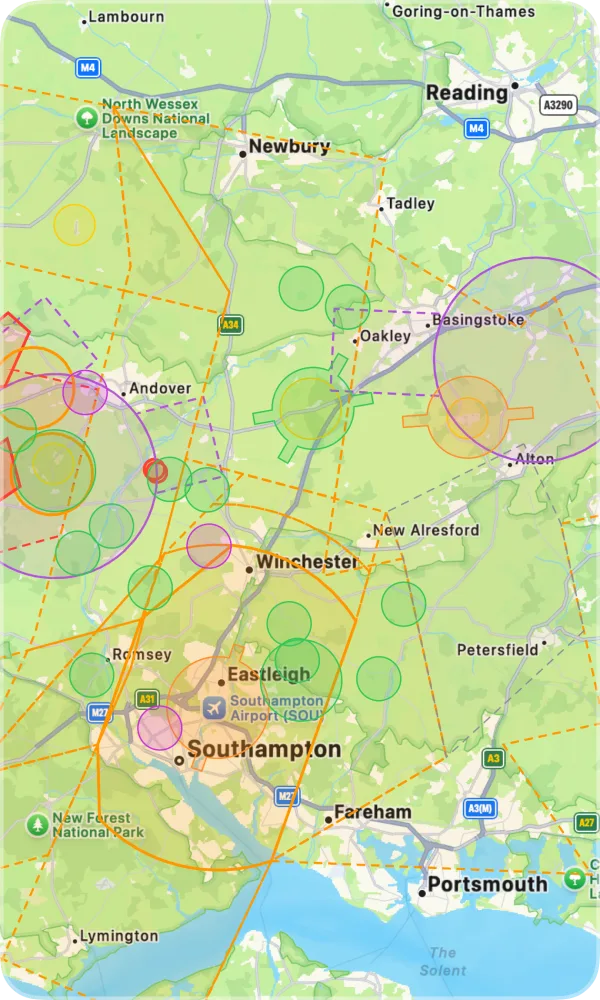
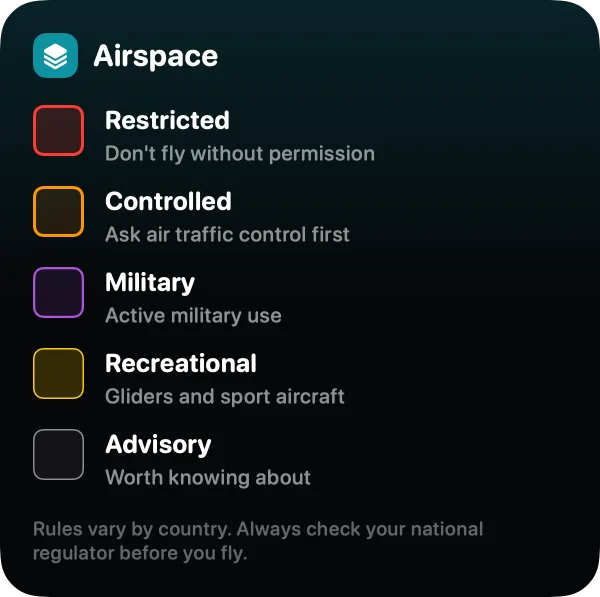
Airspace and Southampton Airport’s restriction zone, and the key the map uses.
Night flying, insurance and privacy
- At night, a green flashing light must be on. If your drone doesn’t have one, fit one, and remember its weight counts towards the drone’s.
- Insurance is optional if you fly a drone under 20 kg purely for fun, recreation or sport. For any other reason, you need third-party liability insurance, and every drone of 20 kg or more needs it whatever you use it for.
- Privacy: photos and video of people can fall under data protection law (UK GDPR). Let people know before you record, and don’t film where people expect privacy, such as their home or garden.
- Emergencies: if one starts near where you’re flying, stop flying safely and straight away, unless the emergency services say you can carry on. And never drop anything from the drone.
The rules for your drone, in the app
Drone Map’s What’s the law? sums up the UK rules in plain words, with links to the CAA’s own pages. It covers the EU, the US, Canada, Australia and New Zealand too. Add your drone, and the app tells you what applies to it from its weight, class mark and whether it has a camera: which IDs you need and where it can fly.
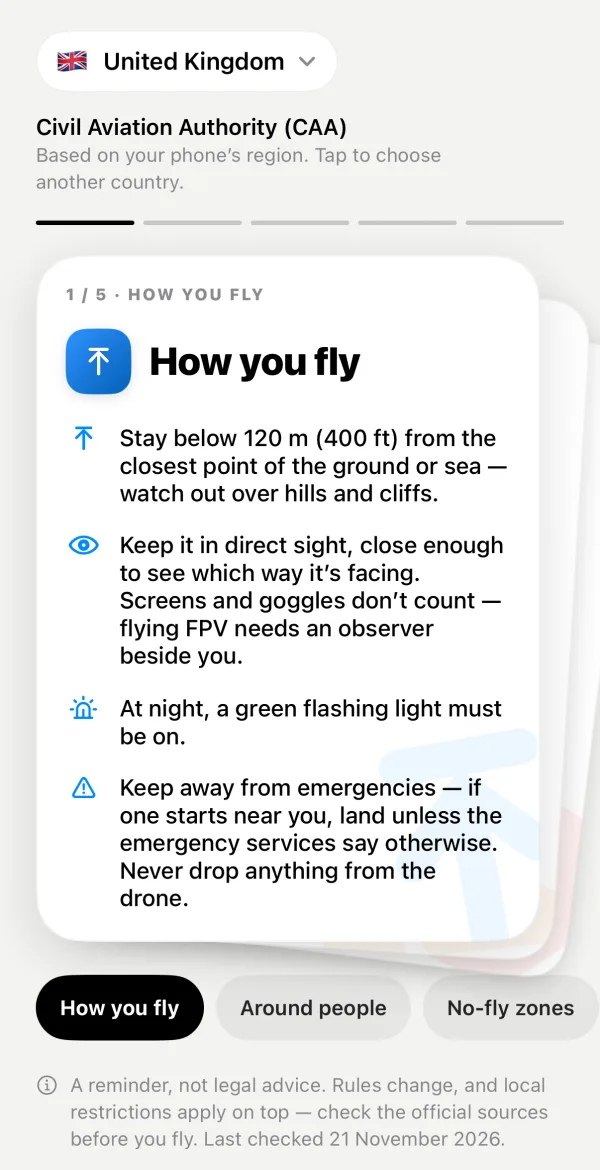
You can also keep your Flyer ID, Operator ID and insurance against each drone, private to you, and the app reminds you before each one expires. That matters more now: an Operator ID renews every year, and a Flyer ID every five.
Common questions
Do I need a licence to fly a drone in the UK?
Not a licence as such. For flying for fun, you need a Flyer ID for any drone of 100 g or more, and an Operator ID for any drone of 250 g or more, or from 100 g if it has a camera. The Flyer ID test is free and online.
Do I need to register a drone under 250 g?
Since 1 January 2026, usually yes. From 100 g you need a Flyer ID, and if it has a camera you need an Operator ID as well. Only drones under 100 g need neither.
Can I fly my drone in a park?
Parks count as recreational areas. With a drone under 250 g, or a UK0, UK1 or C0 drone, you can fly there, as long as you never fly over crowds and no local byelaw stops you. A heavier drone flying Far from People (A3) has to stay 150 m from the park. Always check for signs.
How high can I fly a drone in the UK?
120 m (400 ft) from the closest point of the ground or sea. Where the ground drops away below you, over a valley or down a hillside, fly lower to stay within it.
Do I need insurance?
Not if your drone is under 20 kg and you only fly for fun, though it’s worth considering because you’re liable for any damage. You do need it for any other kind of flying, and for any drone of 20 kg or more.
What happens if I break the rules?
You can be fined, and in the most serious cases sent to prison. Endangering an aircraft carries up to five years.
Before your next flight
Make sure your IDs are current, your Operator ID is on the drone, and Remote ID is on if your drone needs it. Then check the airspace and NOTAMs for where you’re going. The guide to how to fly a drone safely walks through every check, and Drone Map Lite shows UK airspace and airport zones free in your browser.